By 7Agi Consulting · IT Asset Management
InnVentory is the IT asset register for hotel groups and multi-outlet operators. One master catalog, every unit traced to the person holding it, licence and AMC renewals counting down, and an audit trail that remembers what the handover notes never did.
Deployed per client on their own Firebase project · branded to the property
The register you actually keep
It starts accurate. Then a laptop moves desks, a POS terminal goes to the vendor, someone leaves, and the file quietly becomes fiction. InnVentory makes the accurate version the easy one.
A guided look
These are screenshots of the working product, not mockups.
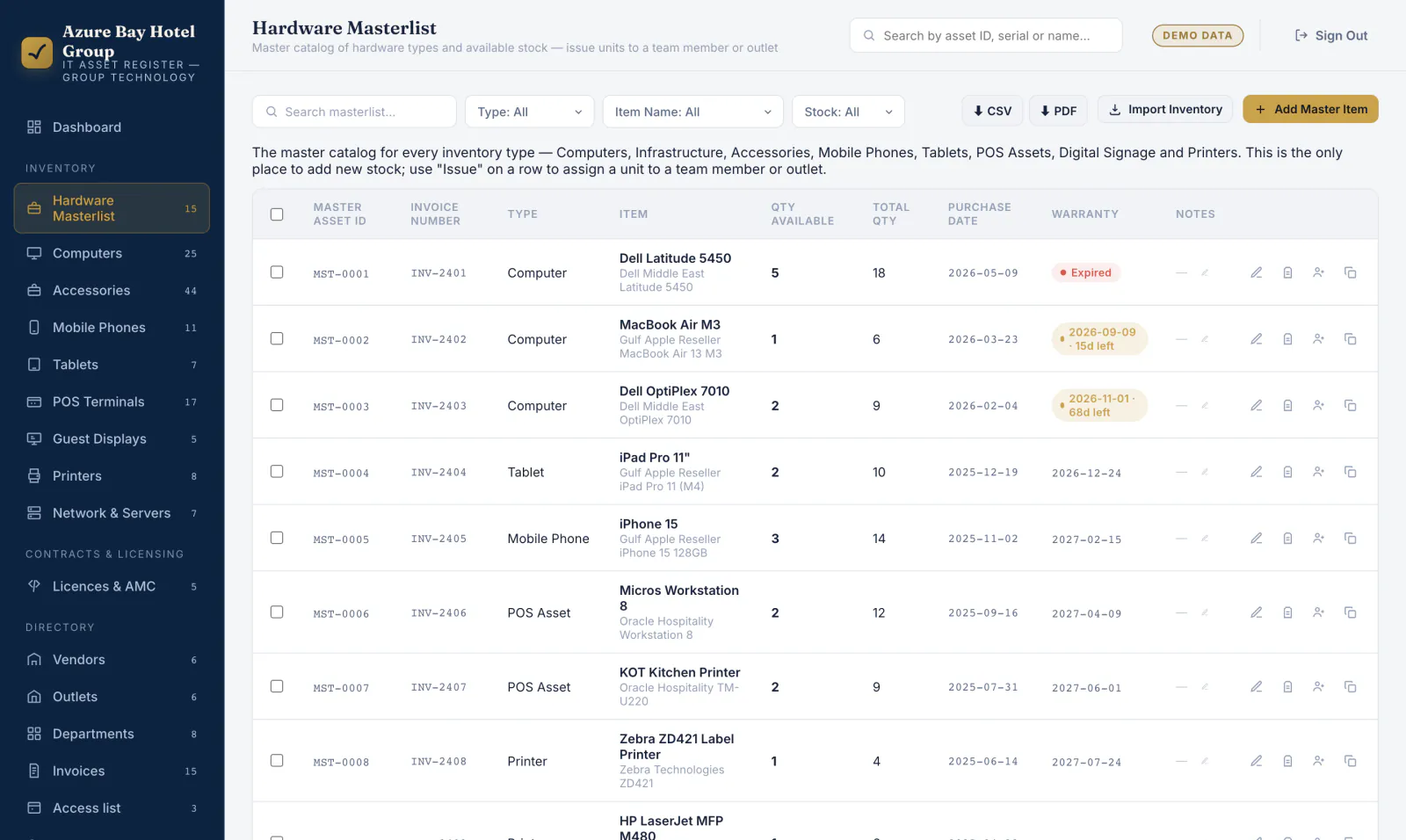
The single place new stock is added. Each row is a type of hardware — 18 Latitude 5450s bought on one invoice — and the Qty available column falls as units are issued out.
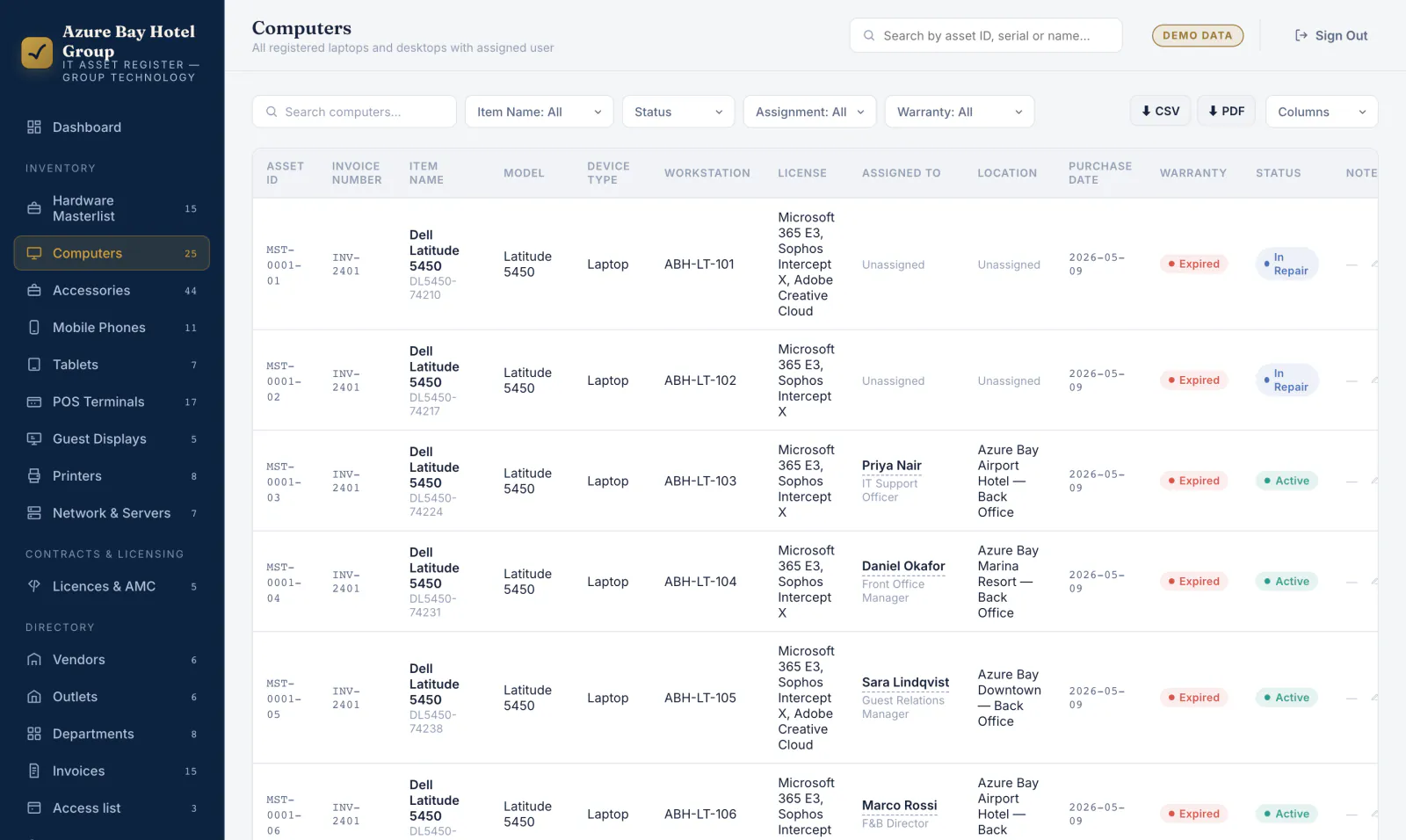
Every issued unit, with its own asset ID and serial. Filter by item, status, assignment or warranty; a filter that is actually filtering turns gold, so you always know what you are looking at. Export the filtered view to CSV or PDF.
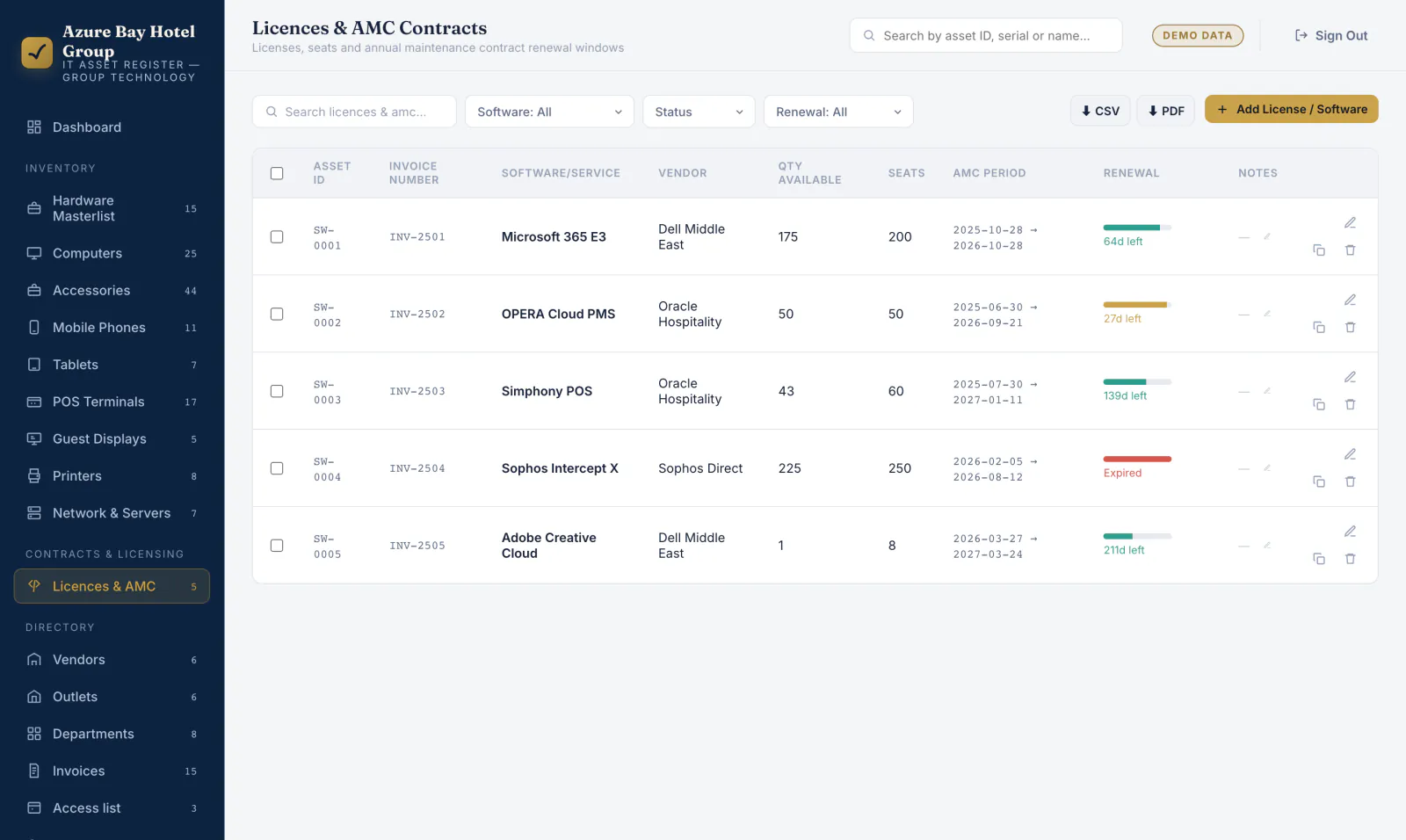
Seats owned against seats available, and a renewal bar per contract that turns amber then red as the date closes. Expired is a state you can see from across the room, not a date you have to work out.
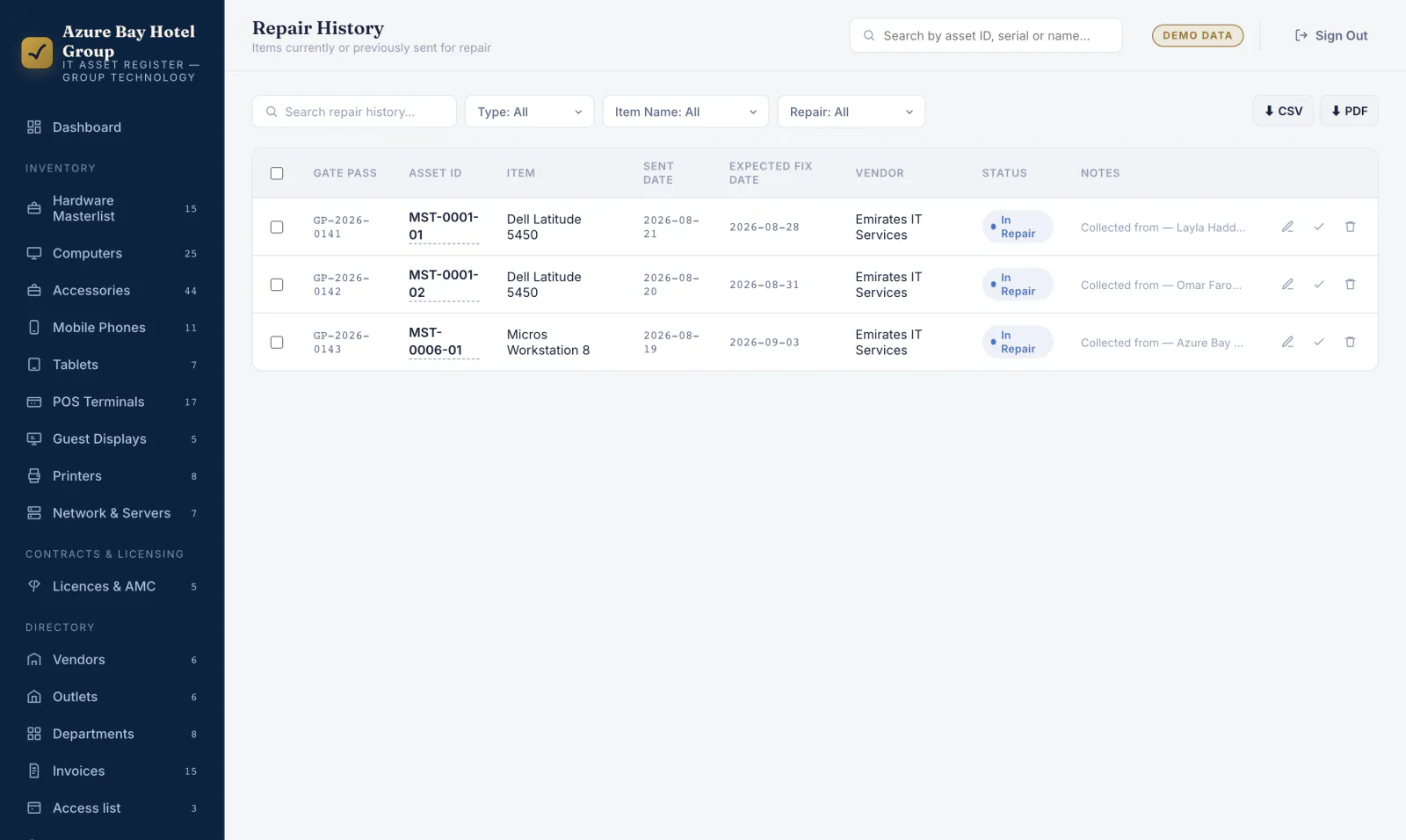
Anything with a vendor is off the floor and on this list, with a gate pass number, the fault as reported, and the date it is due back. Mark it returned and the unit goes straight back to Active.
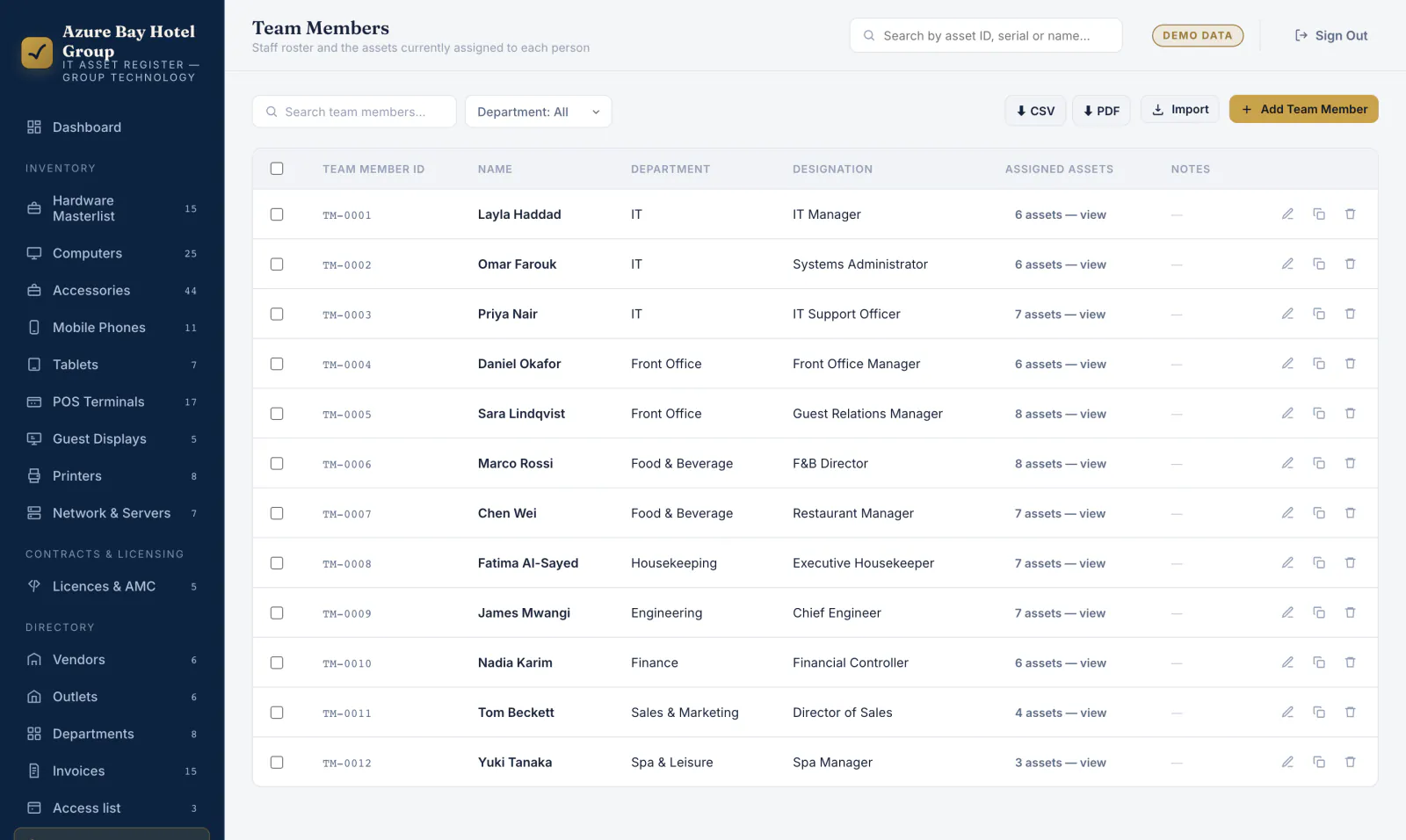
The staff directory, with the asset count each person is holding and a link straight through to their kit. Offboarding starts here rather than with an email asking what they had.
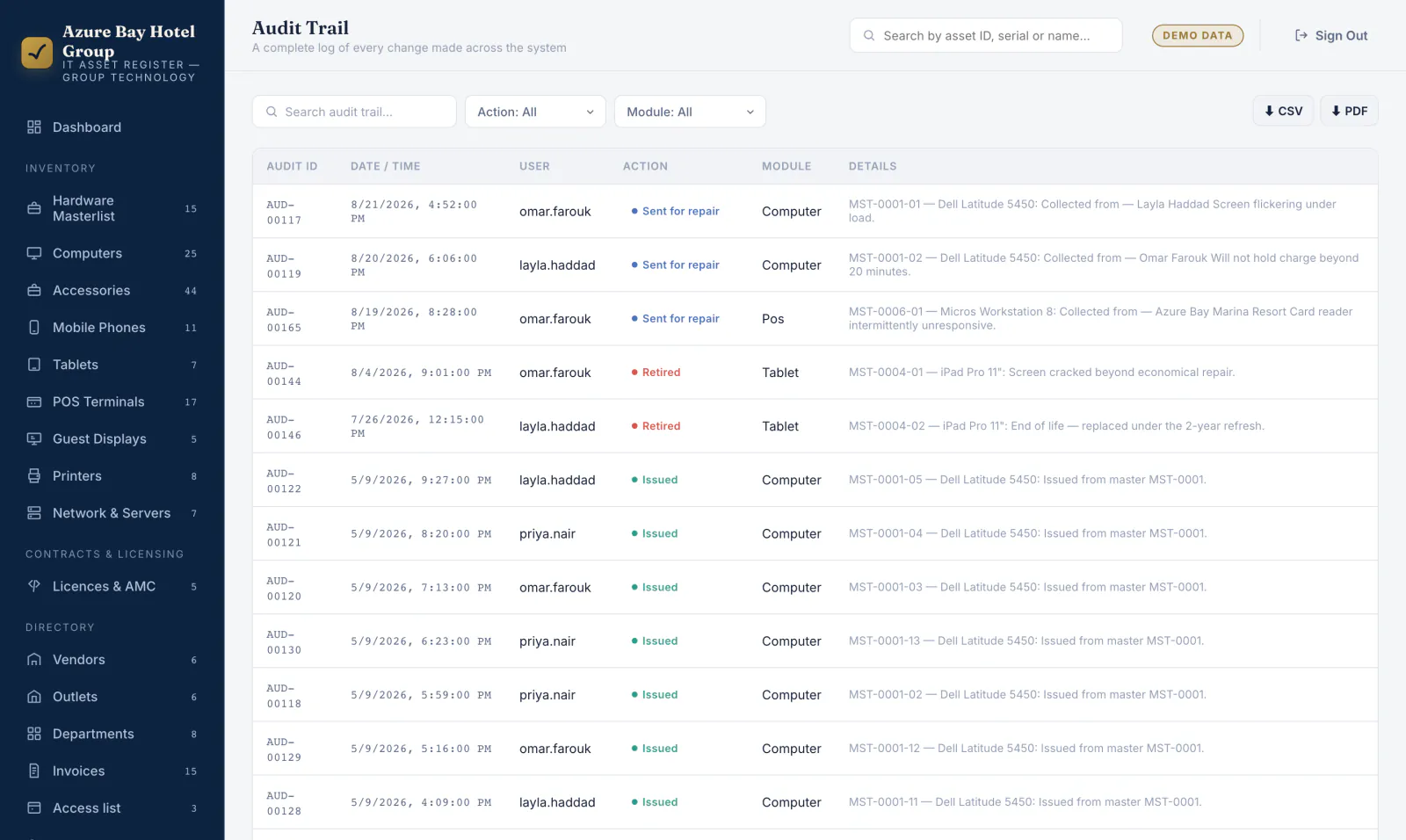
Every issue, repair, retirement and edit, written automatically with the username and timestamp. Filterable by action and module, and exportable when someone asks for the paper trail.
The one action that matters
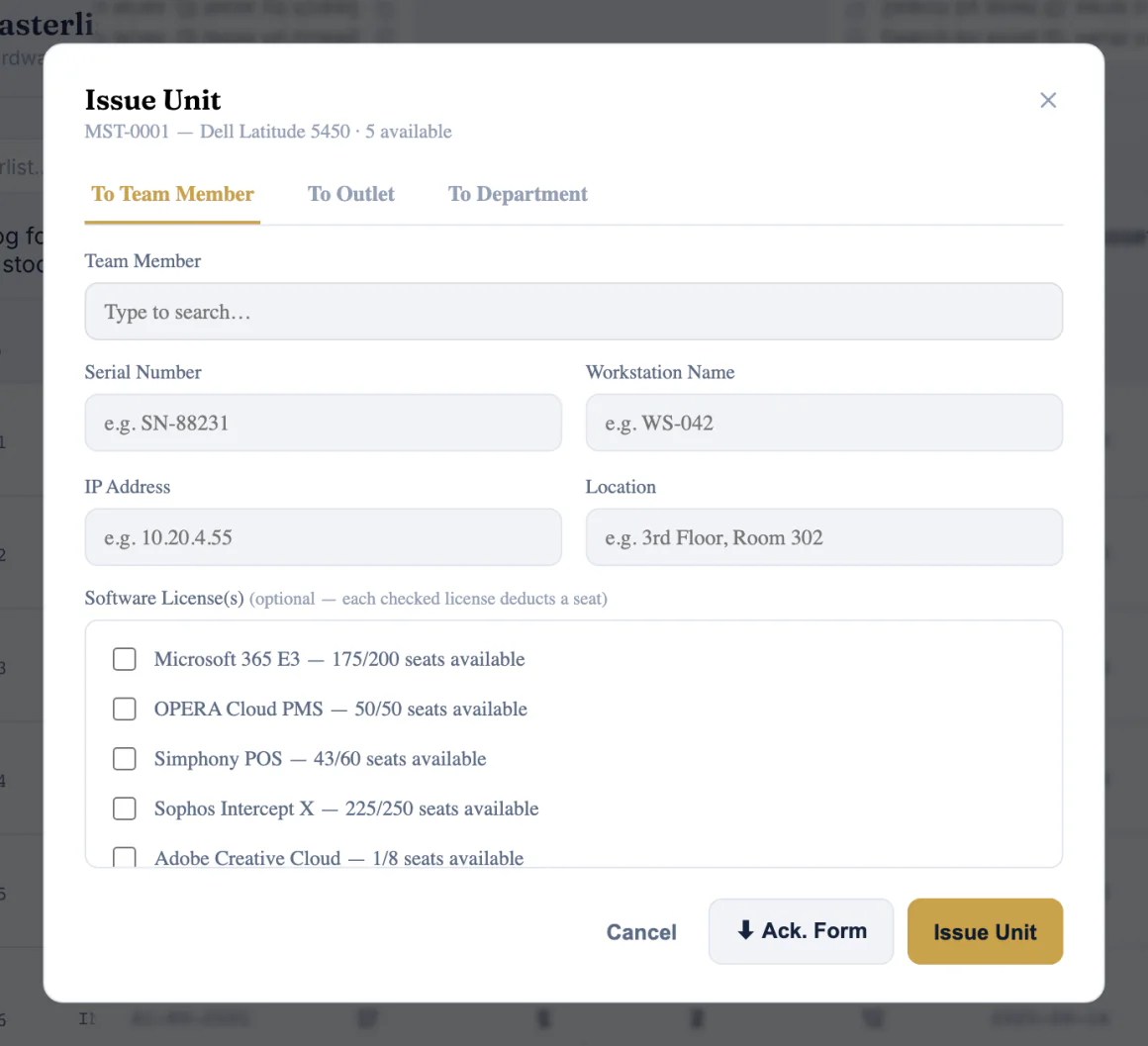
Handing a laptop to a new starter is the moment inventories usually go wrong. In InnVentory it is one dialog.
A team member, an outlet or a department — three tabs, one dialog. The same unit can be re-assigned later without losing where it has been.
Serial, workstation name, IP address and physical location. The fields per category are configurable, so a POS terminal asks different questions to a phone.
Tick the licences that go with it. Each one shows the seats still available and deducts one as you issue — so licence counts stay honest without a second register.
Generate a signed handover form as a PDF, on the spot, in the property's own wording. The stock count, the unit record, the licence seats, the staff member's asset list, the dashboard totals and the audit trail all move together — that is the six.
Not a desk-only tool
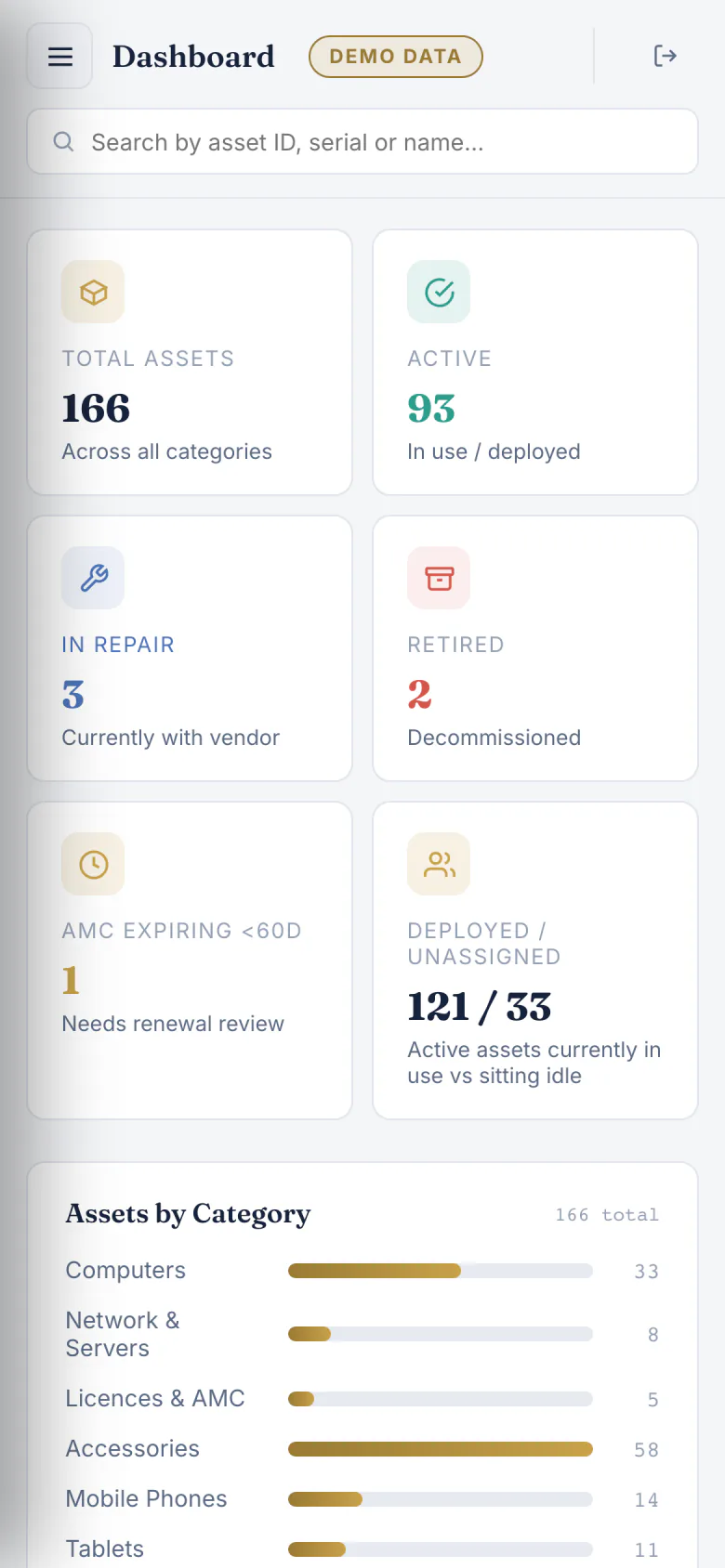
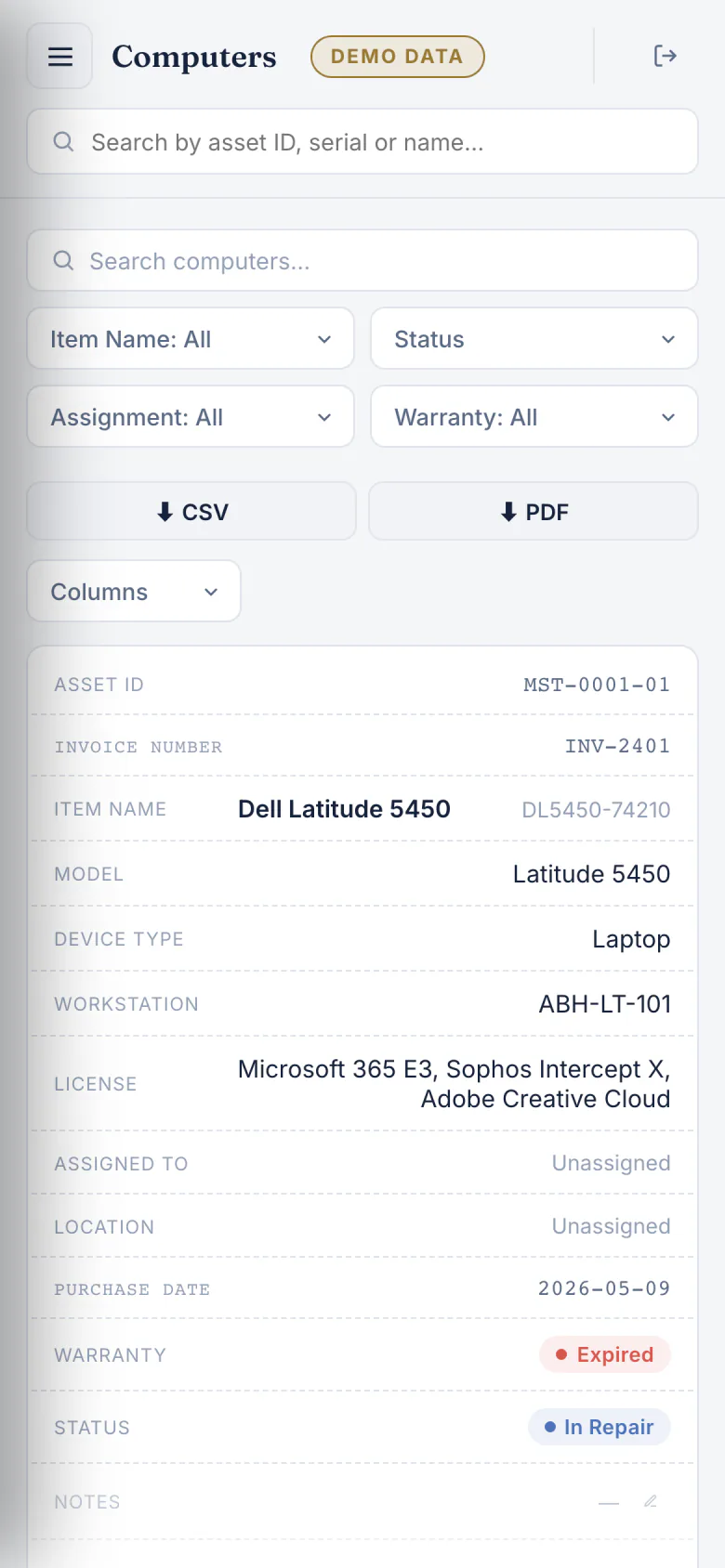
IT work happens in back offices, plant rooms and behind reception desks. On a phone the sidebar becomes a drawer and every table becomes a stack of cards, so a row with fourteen columns is still readable one-handed.
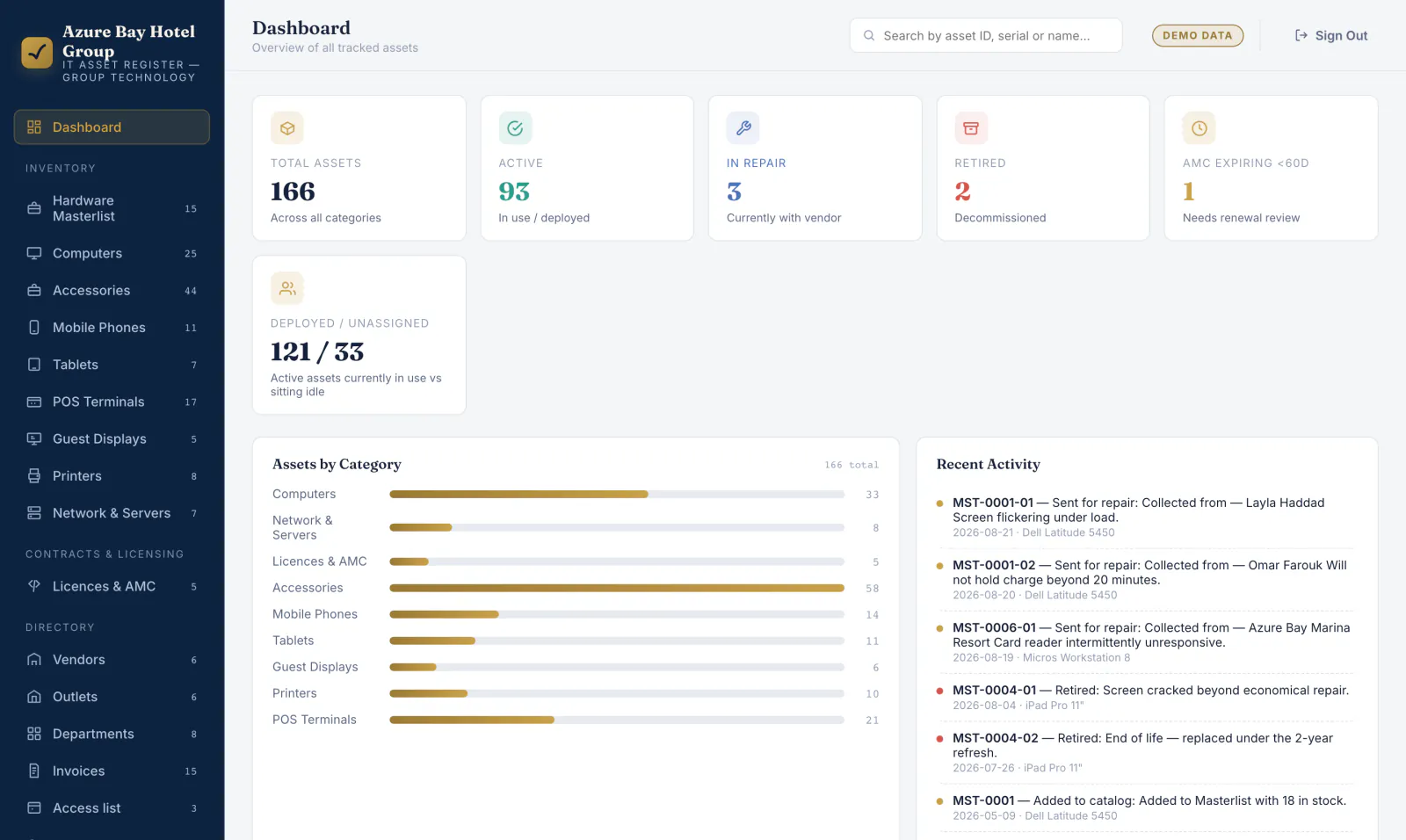
Dashboard
A record, stacked
What is inside
Built for the way a hotel IT department actually works — by category, by outlet, and by whoever is holding the thing right now.
The catalog of every hardware type you own, with quantity in stock and quantity issued, reconciled automatically.
Computers, accessories, mobile phones, tablets, POS terminals, guest displays, printers, and network & servers — each with its own fields.
Seats owned against seats used, contract periods, and a renewal countdown that turns amber then red before it lapses.
Assign to a place as easily as to a person. Multi-property groups see which site an asset is standing in.
Staff, departments and designations, each showing the assets they currently hold — the offboarding checklist, generated.
Suppliers and service partners with a point of contact, so a repair or a renewal starts with a phone number, not a search.
Purchase records tied to the stock they brought in, so every asset can be traced back to what it cost and when it landed.
Gate pass number, vendor, fault, sent date and expected return. Nothing leaves the building without a record.
Decommissioned kit stays visible with the reason it went, so the estate's history survives the asset.
Every create, edit, issue, repair and retirement, stamped with the username and the time, filterable by action and module.
CSV and PDF from every table, with the filters you applied. Bulk-load an existing spreadsheet on day one rather than retyping it.
Super admin, admin and standard. Read-only users can look at everything and change nothing — enforced in the database, not just hidden in the interface.
Yours, not ours
InnVentory is white-labelled per client. The company name, the logo, the sidebar and the accent colour are settings, not a rebuild — the same product looks like it was made for the group using it.
The unglamorous part
An asset register is only worth keeping if somebody outside IT can trust it. These are the parts that make that true.
Hiding a button is a courtesy, not a control. InnVentory's roles are enforced by database security rules, so a standard user who opens the developer console still cannot write. That specific guarantee is covered by an automated test that has to pass before anything ships.
The audit trail is produced by the actions themselves, not typed into a notes column. Filter it by action or module, read it in plain English, and export it when procurement or finance asks how a unit ended up where it is.
Each client is deployed to their own isolated Firebase project — no shared tenancy, no other property's inventory in the same database. Ownership of that project can be transferred to you, and the whole register exports to CSV whenever you want a copy.
Go-live includes a walkthrough with your team, a quick-reference for the five things they will do every day, credentials delivered securely, and agreed support terms in writing before the first person signs in.
Next step
We will walk you through InnVentory with sample data from a property like yours, then scope what it takes to load your existing spreadsheet into it. Dubai-based, and used to hotel IT.